Clear spaces boost focus. A tidy surface with only daily tools helps reduce visual noise and supports steady productivity. This article shows how a minimal desk aesthetic setup looks in practice and why a clean area leads to a calmer mind.
We will walk through decluttering, creating zones and using vertical storage. You will learn how furniture, ergonomics, lighting, and cable management lift both looks and function. Each tip keeps essentials close without turning your desk into storage.
Expect real examples—from monochrome and Scandinavian corners to developer benches and standing desk wellness models. The goal is not to make the space empty, but to keep tools accessible while trimming distractions for better work habits.
Start With a Clear Surface to Reduce Clutter and Boost Productivity
Start by clearing your surface so only the tools you reach for daily remain visible. This simple step removes competing stimuli and lets your attention land where it matters.
Why clear the surface first: clutter competes for attention and slows task switching. A tidy top accelerates focus and improves productivity during the day.
Keep only daily-use items within arm’s reach
Follow an “arm’s reach” checklist: keyboard, mouse, notebook, pen, and phone stand. These items keep the workspace functional without crowding the main place you work.
Move rarely used things to proper storage
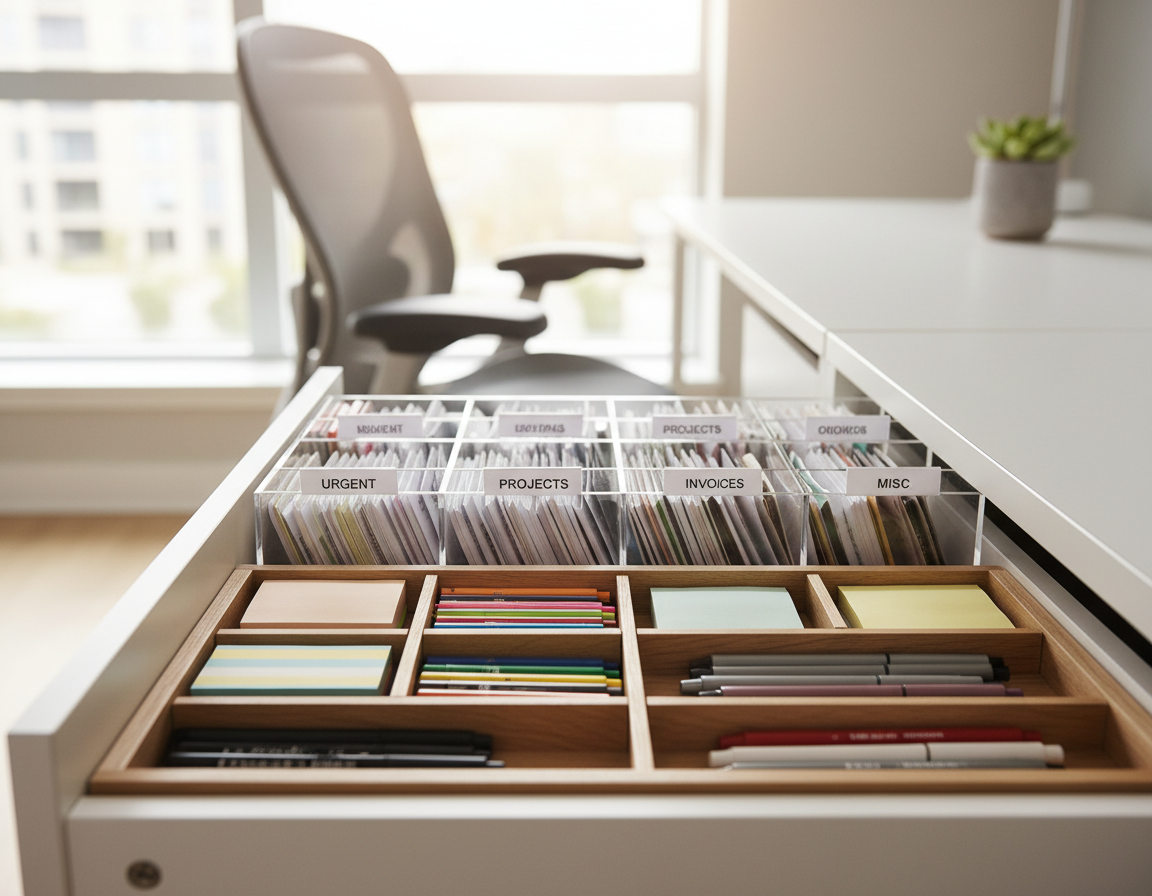
Store less-used items in drawers, under-desk bins, a mobile file cabinet, or a small shelf. This prevents the desktop from becoming long-term storage.
- Assign a home for every item to cut decision fatigue.
- Do a quick reset at day’s end: return items to their homes so clutter doesn’t build up.
- Periodic purges stop forgotten things from migrating back to the surface.
Result: fewer micro-distractions, faster context switches, and a clearer path to focused work.
Create Work Zones With a Desk Pad for a Clean, Intentional Look
A simple mat can turn a busy workspace into a purposeful, organized area. Use a pad to separate your work zone from misc items. This gives the surface a clear design and reduces visual scatter.
Anchor Your Primary Tools
Place your keyboard and mouse on the mat so they sit in one consistent spot. That anchored area makes it easy to return tools to their home and helps the space feel intentionally designed.
Choose Size, Material, and Color With Purpose
Pick a mat that fits your peripherals without crowding edges. If you use a full-size keyboard and a large mouse pad, get a wider mat so items do not overlap.
- Pair warm wood surfaces with neutral tan or cream for a gentle look.
- Match monochrome furniture with black, white, or gray to keep lines clean.
- Consider leather, felt, or rubber for comfort and scratch protection.
Function first: let comfort and purpose guide your choice. A good pad protects the tabletop, softens long typing sessions, and creates a tidy way to group tools so the overall style stays useful and calm.
Use Pegboards and Vertical Storage to Keep the Desktop Open
Pegboards make vertical space work for you. They preserve a clear desktop while keeping essentials close at hand. That balance helps the room feel calmer and more functional.
Wall-mounted organizers for headphones, tools, and accessories
Use the wall to hang headphones, charging cables, small tools, camera gear, and daily-use items. This keeps the main surface free for work and reduces drawer digging.
Desk-mounted options for renters and small spaces
Choose modular, clamp-on pegboards if drilling isn’t allowed. These desk-mounted units move with you and can double as a headphone stand or cable anchor.
- Place the most-used items at eye or hand level for fast access.
- Move seldom-used things to the top or sides of the board.
- Keep similar tools grouped to speed retrieval and keep the space consistent day to day.
Result: a designated place for everything, cleaner-looking setups, and a more efficient home office where you spend less time searching and more time working.
Choose a Desk That Fits Your Space and Serves Purpose
Select a work surface that balances function, scale, and the flow of the room. A well-chosen desk prevents clutter by giving you the right surface area and built-in storage from the start.
Target a 60 cm Minimum Depth
Aim for about 60 cm (2 ft) of depth so a monitor, keyboard, and a few accessories sit comfortably. This depth keeps the screen at a safe viewing distance and leaves room for writing or a laptop beside your monitor.
Drawers vs. Open Legs
- Drawer-based pieces hide clutter and add discrete storage for papers and cables.
- Open legs or trestle frames feel airier and make a small room seem larger.
- Choose a combination—one or two drawers plus open leg space—if you want both storage and openness.
Finishes, Small Spaces, and Purpose
Solid wood gives warmth and grain that ages well. Monochrome finishes deliver crisp lines and a clean design for modern homes.
Measure chair clearance and walking paths before you buy. Above all, pick a piece that serves purpose first, then style, to avoid furniture that looks good but does not function well at home.
Dial In Ergonomics So Your Setup Looks Good and Feels Good
Small ergonomic tweaks stop pain and reduce the urge to add temporary fixes. Discomfort often leads to extra cushions, random risers, or improvised stands that ruin a clean workspace. Invest in proper gear to keep things tidy and lasting.
Raise monitor height with a stand or adjustable monitor arm
Position the top third of the screen at eye level. Use a sturdy stand or an adjustable arm to reduce neck and shoulder strain. A quality arm also frees surface space and prevents makeshift risers from accumulating.
Pair an ergonomic chair with a footrest for long work sessions
Choose a chair with lumbar support, seat tilt, and height adjustment. Add a footrest to stabilize posture and reduce fatigue during long periods of sitting. This combo keeps you comfortable and cuts down on add-on cushions.
Choose a comfortable keyboard and mouse to reduce wrist strain
Select a low-profile, split, or sculpted keyboard that fits your hand size and a contoured mouse that supports a neutral wrist. Prioritize quality products—durable gear means fewer replacements and a cleaner, more consistent setup over time.
Upgrade to a Standing Desk for Functionality and All-Day Comfort
A height-adjustable surface helps you shift posture and keep energy up across tasks.
When a sit-stand desk makes sense: choose one if you spend long hours in your home office, need relief from back discomfort, or do varied work that benefits from posture changes. If your current chair already supports long sessions well, weigh frequency and budget before switching.
Stability and weight capacity to consider
Stability: test the unit at full height to ensure it holds steady while typing or using a monitor arm. Look for hundreds of cycles in warranties and a low wobble rating.
Weight planning: add up monitors, a laptop, speakers, and accessories. Pick a model with a margin above your total load so the desk setup stays safe and functional over time.
Cable management and practical integration
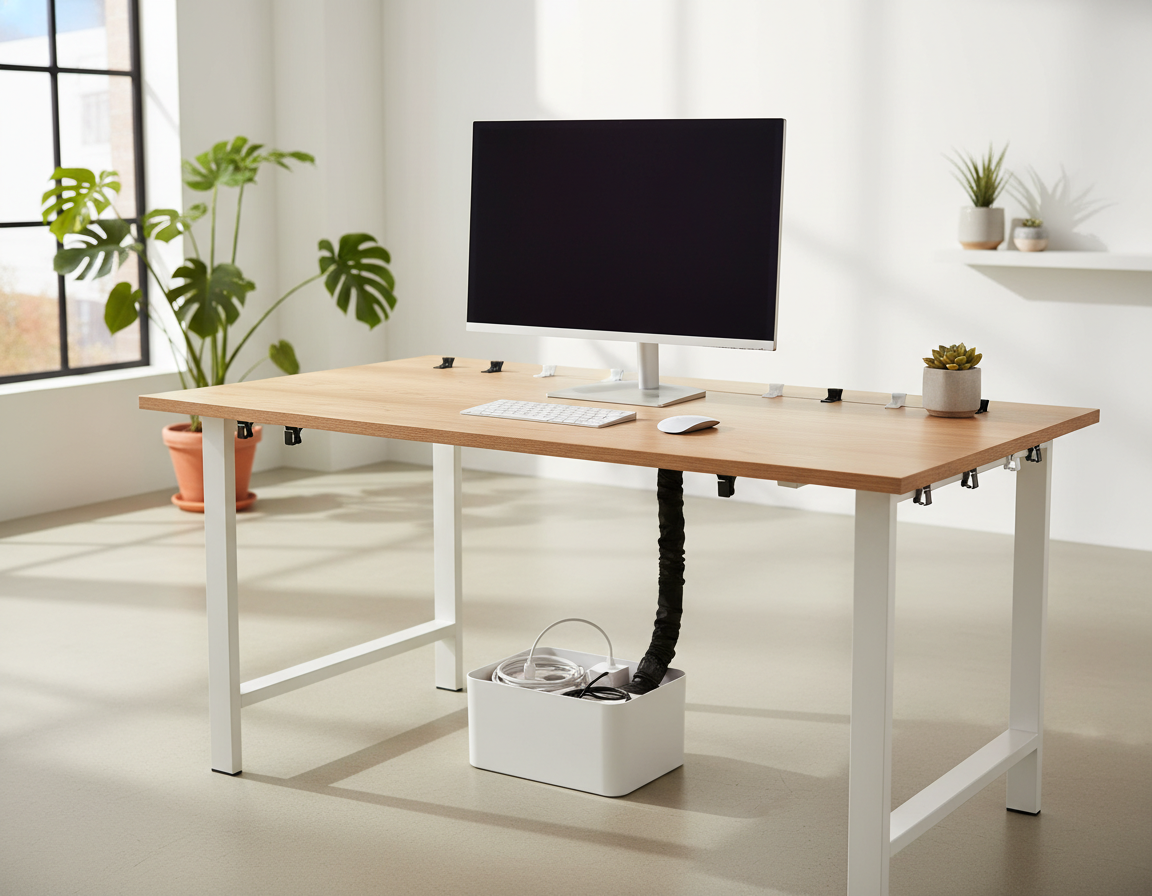
Cable management features—built-in trays, channels, or grommets—cut visible clutter and keep the floor clear. Good cable routing is an aesthetic win and improves long-term functionality.
- Decide by frequency of use and budget before you buy.
- Confirm the unit works with your monitor arm and chair height ranges.
- Introduce standing gradually: start with short standing blocks and increase time over time so your workflow never feels disrupted.
Result: a flexible, ergonomic work area that keeps tools accessible, reduces strain, and improves the overall desk setup in a simple, sustainable way.
Embrace a Monochrome Black-and-White Workspace for a Distraction-Free Design
A black-and-white palette calms the eye and makes choices simpler in a busy room. Fewer colors mean fewer decisions and a cleaner visual field that supports steady focus.
Balance texture, not just tone. Pair matte black furniture with white walls and add glossy or textured accents so the look stays modern, not flat or harsh.
Real-world examples and practical tips
Carl Barenbrug’s Edinburgh setup uses a large matte black desk and chair against white walls to keep lines clean and the space distraction-free. Cory Johnson’s Toronto room pairs a glossy white surface with a modern black chair and a pegboard for neat organization.
- Why it works: fewer competing colors makes the workspace feel calmer and intentional.
- Decor: pick one or two small accents—a framed print or a plant—to add warmth without clutter.
- Cable runs and accessories: keep them color-consistent so the whole design reads cohesive from across the room.
Use these ideas for a sleek look that offers both function and inspiration for tidy workspaces and contemporary setups.
Warm Up a Minimal Desk Setup With Natural Wood Tones
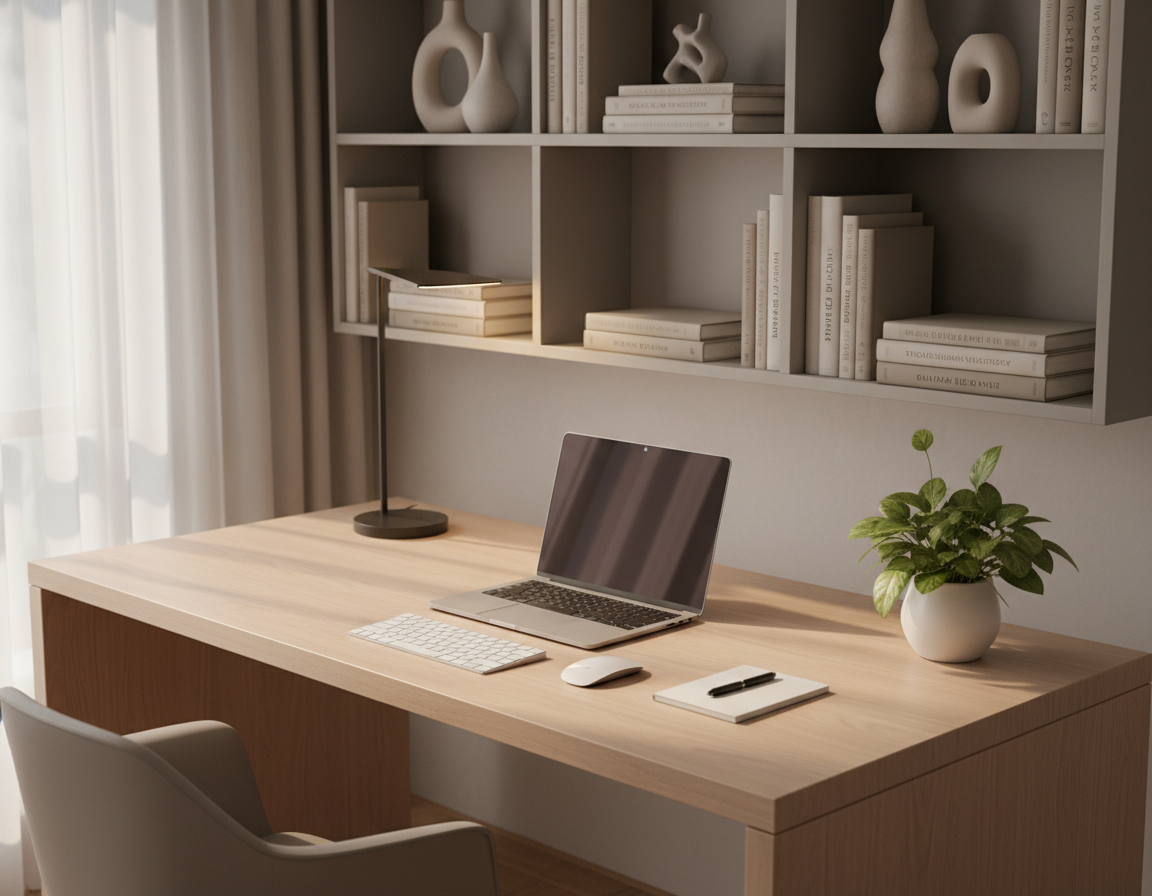
A single light-wood surface can warm a workspace while keeping lines clean. Wood brings texture and life to a home office without adding visual clutter.
Why choose light wood: it reflects natural light, making a small space feel larger and more airy. Light wood tones also pair well with neutral walls, which helps maintain a calm, modern design.
Jonatan Castro’s light wood surface paired with an Apple Studio Display and a tall plant shows how wood can act as the hero. The wood keeps the area inviting while the rest of the room stays neutral and uncluttered.
Logan Liffick’s natural wood standing model against cool gray walls proves that natural materials fit modern frames and clean lines. Nuria Quero’s bright, light-wood workspace demonstrates how strong daylight plus wood creates an open, calm vibe.
- Use one wood surface as the focal piece and keep accessories neutral to avoid visual noise.
- Match light wood with soft white, warm gray, or beige walls to preserve a calm home office style.
- Choose light wood for small rooms to reflect light and make the space feel bigger.
Add Plants for a Minimal Touch of Life Without Visual Noise
A well-placed houseplant gives a gentle, living accent that complements clean lines. Plants bring softness without adding functional clutter. A single green element can lift mood and reduce stress while keeping the work area calm.
Best placements: choose one small desk plant, a trailing green on a floating shelf, or a tall floor plant beside the chair. These options keep the desktop clear and make the plant part of the room, not extra items to manage.
- Use Mattia’s cascading ivy on a shelf to add vertical greenery while saving surface area.
- Try Daniel Klopper’s bright corner fern or Jonatan Castro’s tall indoor plant as a calm focal point.
- Pick one plant touch rather than many small pots to avoid visual noise and extra maintenance.
Quick care tips: place plants near a window for natural light and set simple watering reminders. Match plant choice to light levels—low-light varieties need less fuss and keep your home decor fresh without becoming a chore.
Make Lighting a Feature, Not an Afterthought
How you light a workspace affects comfort, focus, and the overall tone of the room. Good lighting improves mood and boosts productivity while keeping the surface tidy.
Maximize natural light while managing screen glare
Natural light first: face or angle your desk to take in daylight without letting direct sun hit the monitor. Use blinds or sheer curtains to soften harsh rays and cut glare.
If glare persists, shift the monitor slightly or lower brightness to keep contrast comfortable for long work periods.
Use a focused desk lamp for task lighting and energy
Choose an adjustable lamp that directs light where you need it. A directional lamp reduces eye strain and saves time by lighting only the task area.
Tip: pick a lamp with warm-to-cool settings so color and contrast match the work you do.
Try a monitor light bar to reduce glare and keep the surface clean
Monitor light bars sit above the screen and illuminate the keyboard without casting reflections. They free up surface space and cut the need for bulky lamps on the table.
This approach keeps the front of the workspace uncluttered and improves viewing comfort for video calls and long editing sessions.
Add subtle ambient backlighting for mood and eye comfort
Soft backlighting behind the monitor lowers contrast at night and reduces eye fatigue. Emmie Villegas uses subtle bias lighting to create a calm, efficient feel.
Wouter de Bres pairs strong window light in the day with warm Edison-style lamps at night for a balanced, productive environment.
- Lighting hierarchy: natural light, task lamp, then optional ambient backlight.
- Control glare with blinds, curtains, or slight repositioning of the monitor.
- Prefer adjustable lamps and monitor bars for quality light and cleaner surfaces.
Go Wireless Where You Can to Simplify Your Desk Setup
Cut visible cords by choosing wireless tools so your workspace reads clean and intentional. Going wireless removes the most obvious cable clutter and instantly simplifies a desk setup. This makes the area easier to maintain and keeps your focus on work.
Wireless keyboard and mouse choices that keep the look minimal
Pick compact footprints, neutral colors, and proven battery life. A low-profile wireless keyboard and a compact wireless mouse take up less space and help the surface appear streamlined.
Choose models with reliable pairing and sleep modes so you don’t face frequent recharges. That one decision reduces the urge to hide temporary cables and helps the overall look stay consistent.
Headset and speaker placement that preserves symmetry
Store headsets on a pegboard hook or a small stand so they do not sprawl across the work area. A tidy place for audio gear prevents new clutter from forming.
Position speakers at equal distance from your monitor and angle them toward your listening position for balanced sound and visual symmetry. Asher Mitilinakis’s use of Edifier MR4 speakers shows how neat placement keeps audio gear functional without stealing visual calm.
“Wireless peripherals trim visible cords and make quick resets simple.”
- One weekly charging plan: choose a single charging day and keep one cable tucked in a drawer to charge multiple items. This helps keep desk clutter low.
- When possible, favor neutral tones to match your surface and preserve a cohesive look.
- Place accessories so they are easy to reach but off the main work area to maintain clear lines and symmetry.
Use a Laptop Dock or Hub to Keep Cables and Tools in One Place
A single hub can turn a pile of cords into one tidy connection that you plug in each morning. This simple change creates a faster start to your work and keeps the desktop clear of stray cords.
Create a single-connection workflow for a cleaner space
Plug one cable into your laptop and everything powers up: display, power, Ethernet, and peripherals. That one-plug approach reduces daily plugging and unplugs and shortens the time you spend managing cords.
Benefits: fewer interruptions, faster start-of-day routines, and less time untangling headphones or chargers.
Where to place a hub for tidy routing
Mount the hub under the surface, tuck it into an under-desk tray, or hide it behind a monitor so runs are short and controlled. Keep frequently used tools within reach and route power to a single point.
- One-plug workflow for hot-desking and quick swaps between laptop-only and external monitor modes.
- Shorter runs mean cleaner cable management and fewer visual distractions.
- Place hubs where they are accessible but out of sight to preserve a calm surface.
“One-plug workflow reduces friction and saves minutes each day.”
For a practical guide on organizing runs and selecting the right accessories, see a tested cable management plan. Small changes here directly boost productivity and make your work routine smoother.
Master Cable Management for a Truly Minimal Desk Aesthetic Setup
A neat set of cable runs is often the missing step between nice furniture and a polished workspace. Proper cable management turns an “almost clean” area into a truly functional, calm work area.
Quick method:
- Unplug everything and group items by device.
- Bundle cords with Velcro straps or cable ties.
- Route bundles along the back edge of the desk and secure them to legs or a rail.
Hide power strips inside a cable management box to cut visual clutter and make cleaning easier. Mount an under-desk tray (IKEA Signum works well) to lift runs off the floor and reduce tripping hazards.
Keep labeling or color-coding minimal—only use it if you need quick swaps. Once cables are bundled and routed, daily tidying takes seconds and the system stays sustainable over time.
“Cable management is the difference between ‘neat enough’ and a truly finished workspace.”
- Velcro straps and ties for repeatable bundles.
- Cable boxes for power strips and adapters.
- Under-desk trays to keep the floor clear.
Build a Calm “Everyday” Home Office Setup That Stays Tidy
Create an ‘everyday’ zone that balances comfort, quick access, and simple care. This practical approach keeps your tools nearby while preventing the surface from becoming long-term storage.
Three common setups:
- Everyday: comfortable, neat, decent ergonomics, and clean cables. Designed for steady productivity without fuss.
- Home office: heavy on ergonomics—often a standing option and minimal flash for long hours.
- Gaming: can be tidy but includes controllers, RGB, and larger peripherals.
Essentials-only rule: keep daily tools visible and put everything else away. One drawer, one bin, and one shelf provide fast storage and stop piles from forming.
Simple maintenance routine: end-of-day reset to return items, a weekly wipe-down of surfaces, and a quick keyboard/mouse clean to keep the area feeling fresh.
Remember: the best desk setup is the one you can maintain every day, not the one that only looks good for a photo.
Steal These Minimal Desk Styling Ideas From Real-World Setups
These real rooms show practical tricks that make a workspace work better and look calmer.
Scandinavian storage and pegboard (Lars)
Lars uses an off-white palette, pegboards, and thrifted books to keep storage visible and tidy. The look stays bright while everything has a clear home.
Copy this: hang a small pegboard and group three items you use daily.
Developer-style productivity (Asher Mitilinakis)
Asher centers work around a large monitor and hides runs behind a rail. Balanced speakers and a footrest make long sessions easy and clean.
Copy this: position the monitor at eye level and route cords to one channel.
Small-space corner solution (Faizur Rehman)
Faizur fits a compact corner unit with a single streamlined drawer and low-profile accessories. It keeps the small space functional without fuss.
Copy this: adopt a one-drawer rule to limit surface items.
Wellness-focused standing option (Michelle Fang)
Michelle pairs a height-adjustable model with an under-desk treadmill for movement breaks. It keeps health front and center without visual clutter.
Copy this: reserve one side of the surface for standing gear and storage.
Cozy attic with warm lighting (Wouter de Bres)
Wouter uses window light and warm Edison-style lamps to create a calm corner. A simple wood surface and an adjustable frame add comfort and charm.
Copy this: add one warm lamp and place it opposite the monitor to soften contrast.
- Quick wins: pegboard layout, monitor positioning, one-drawer limit, standing zone, and a single lamp choice.
Conclusion
Finish strong, keep changes small and repeatable so the new habits stick.
Start by clearing the desk and defining simple zones. Add vertical storage, then tune furniture, ergonomics, lighting, wireless choices, a dock, and neat cable runs to protect the work surface and boost productivity.
Choose one or two actions to do today—clear clutter, add a desk pad, or bundle cables—and build from there.
Maintenance matters: a quick reset each evening and a weekly tidy preserve the clean setup over time.
Bring personality with one plant, one warm lamp, or one small piece of wall art so your workspace feels lived-in without adding clutter. Revisit the inspiration section when you upgrade so your design evolves intentionally.